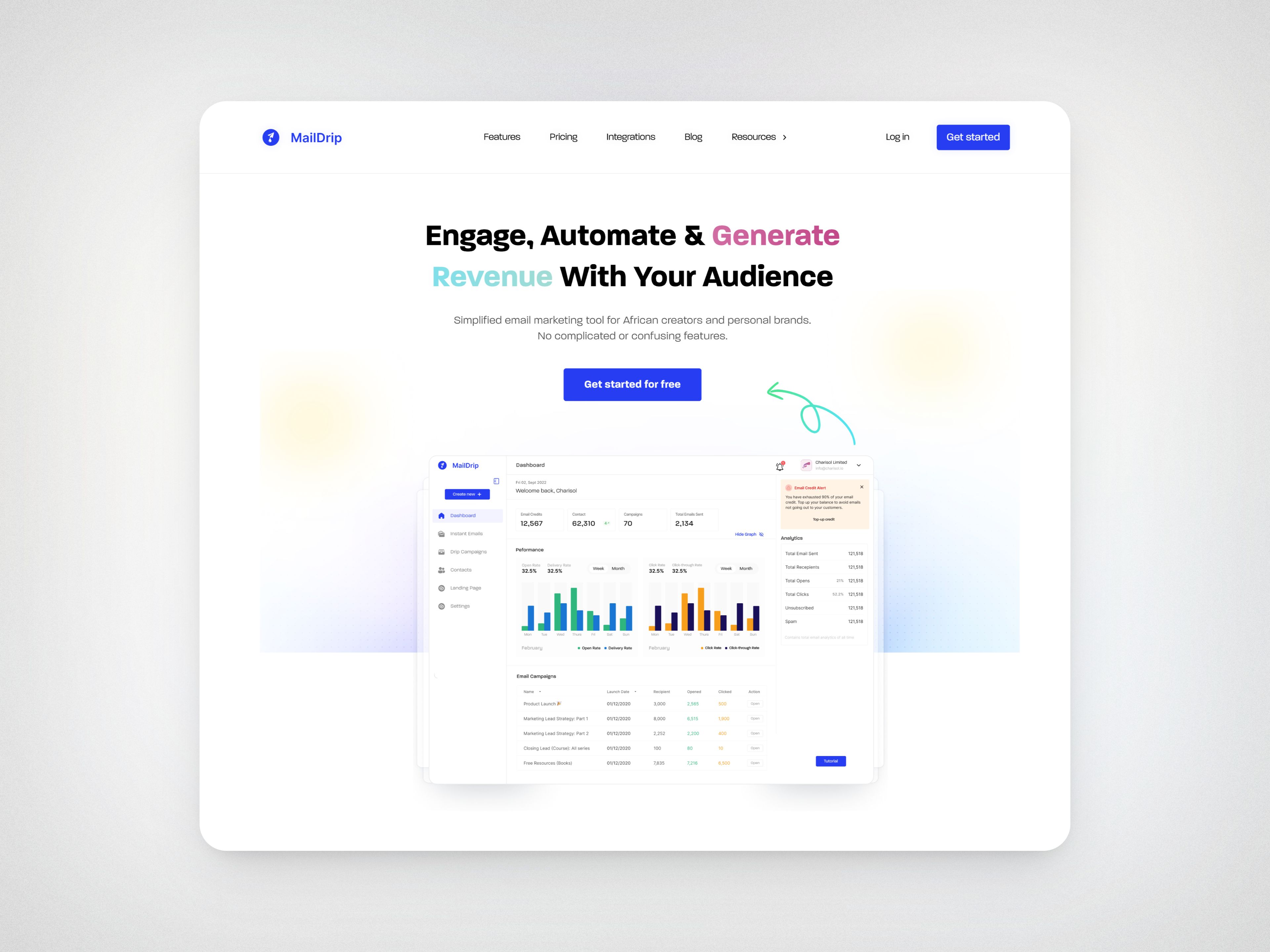
Intro
MailDrip is an email marketing platform designed to help startups and small businesses automate their email campaigns, manage subscribers, and track performance with ease.
Problem
MailDrip’s homepage and pricing page struggled to communicate the platform’s value effectively, making it difficult for users to quickly understand its benefits. Additionally, the pricing structure was unclear, which led to user drop-offs.
Within the web application, several UX challenges hindered the user experience. The instant email builder lacked a clear step-by-step flow, making it difficult for users to navigate. The spam filter feature was not easily visible, leading to missed alerts about flagged emails. Additionally, the design was not well-optimized for mobile, creating usability issues for users on smaller screens.
Goals
To address these challenges, the primary goals were to improve the clarity and usability of the homepage and pricing page, streamline complex workflows in the web app, and enhance responsiveness for mobile users.
Industry
Email Marketing
SaaS (Software as a Service)
My Role
Product Designer
Platforms
Desktop and Mobile
Timeline
2023 - 2025
Collaborated With
UX Researcher
Product Manager
Front-End Developers
Process: What I Did and Why
Design Approach
I collaborated closely with the product manager, and frontend developers, to address key user pain points. Guided by research insights, I focused on improving clarity, simplifying complex workflows, and enhancing mobile responsiveness. My process involved analyzing feedback, prioritizing key issues, and delivering user-centered design solutions through iterative collaboration.
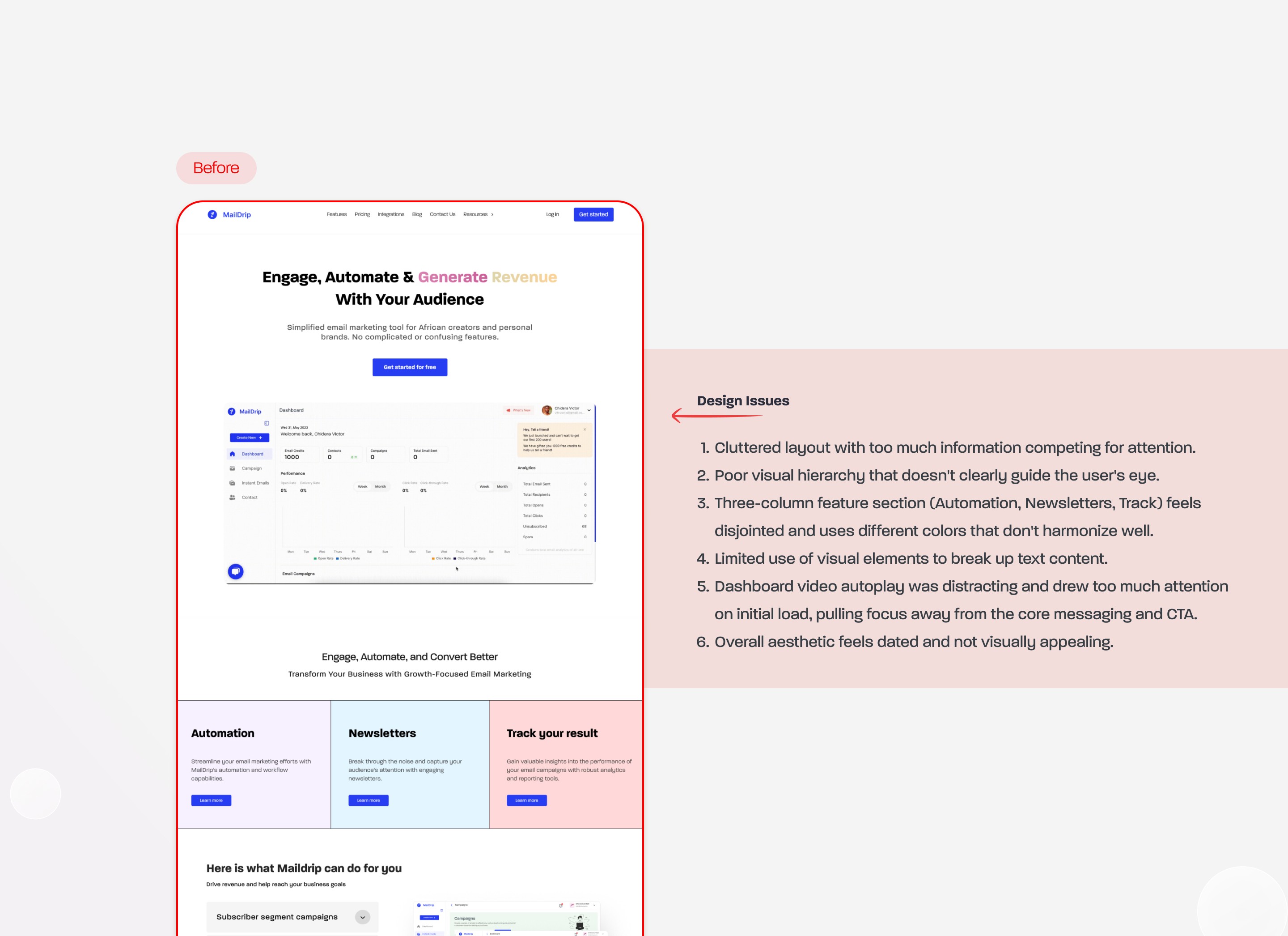
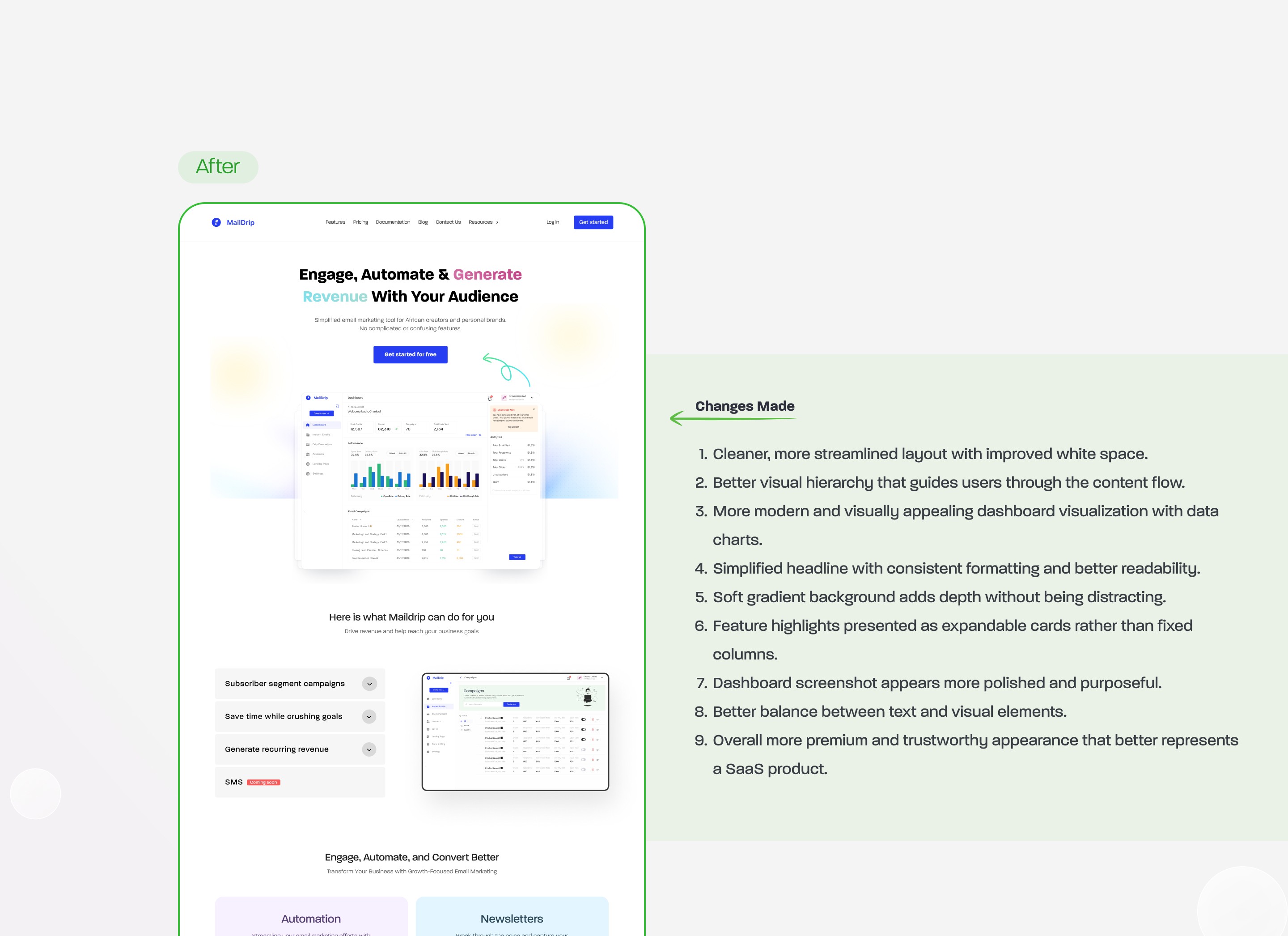
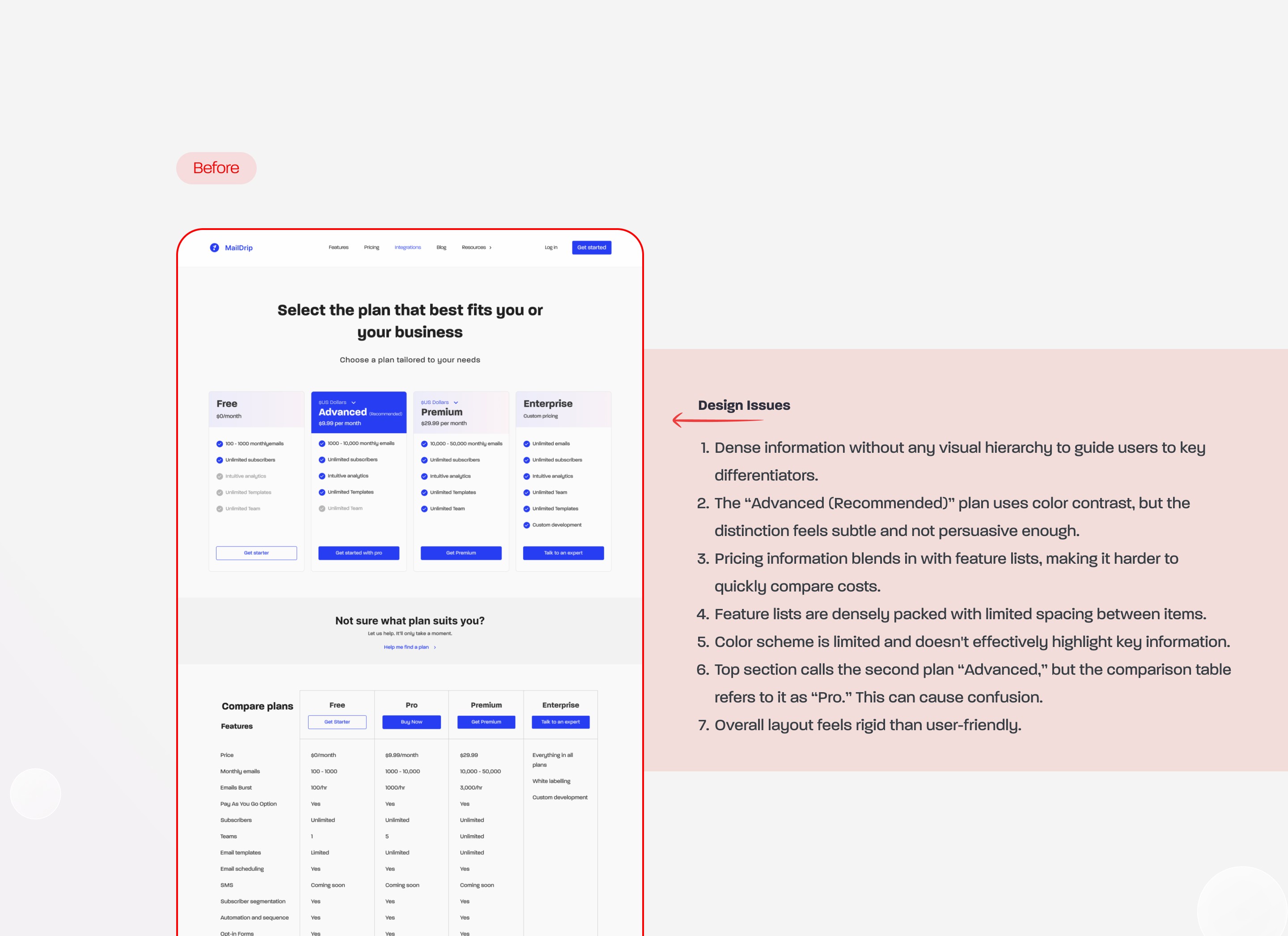
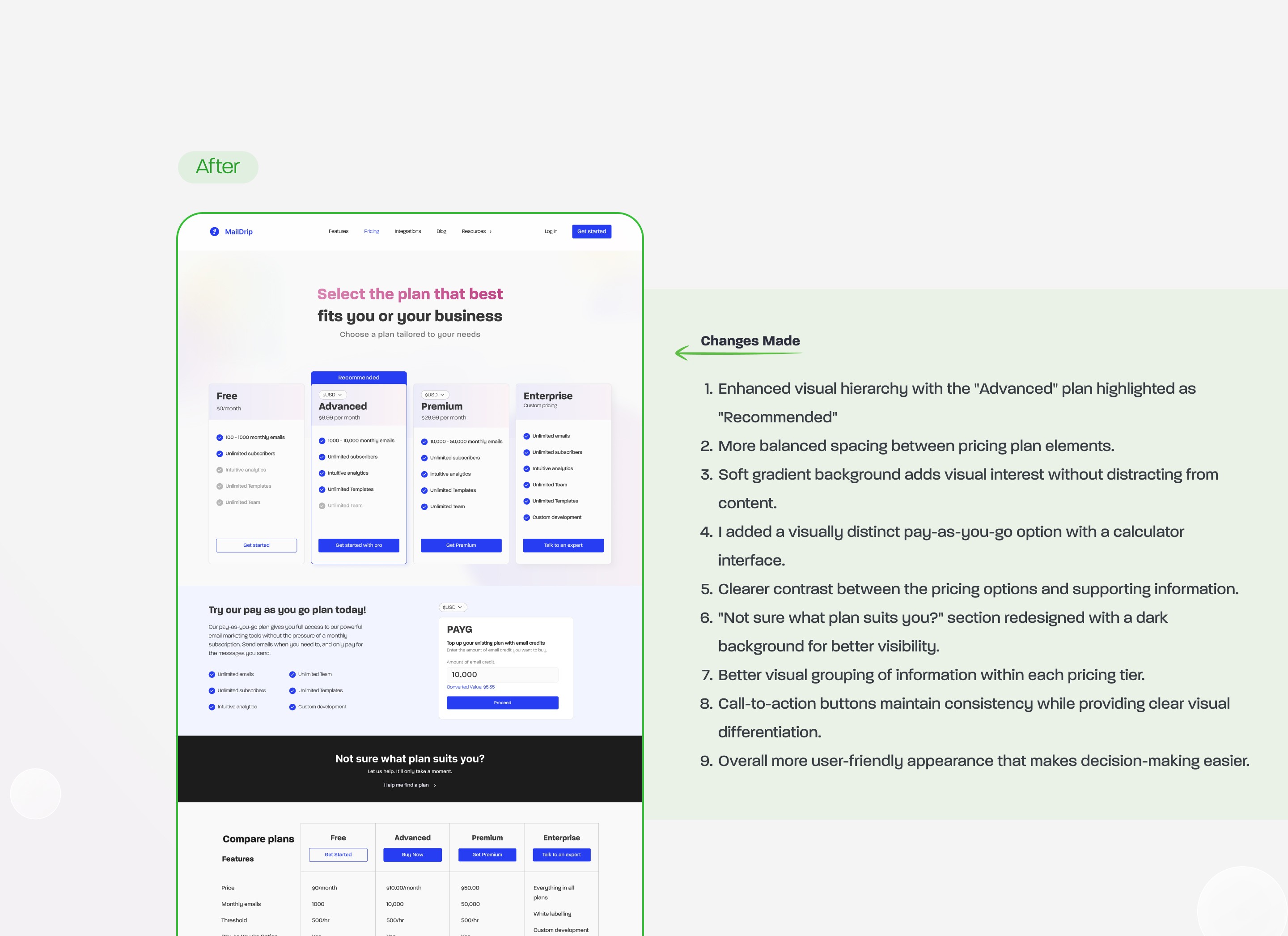
Homepage & Pricing Page Redesign
What I Did: Redesigned the homepage and pricing structure to improve clarity.
Why: Users were dropping off due to unclear messaging and pricing.
Result: Clearer content structure and improved user engagement.
Web App Enhancements
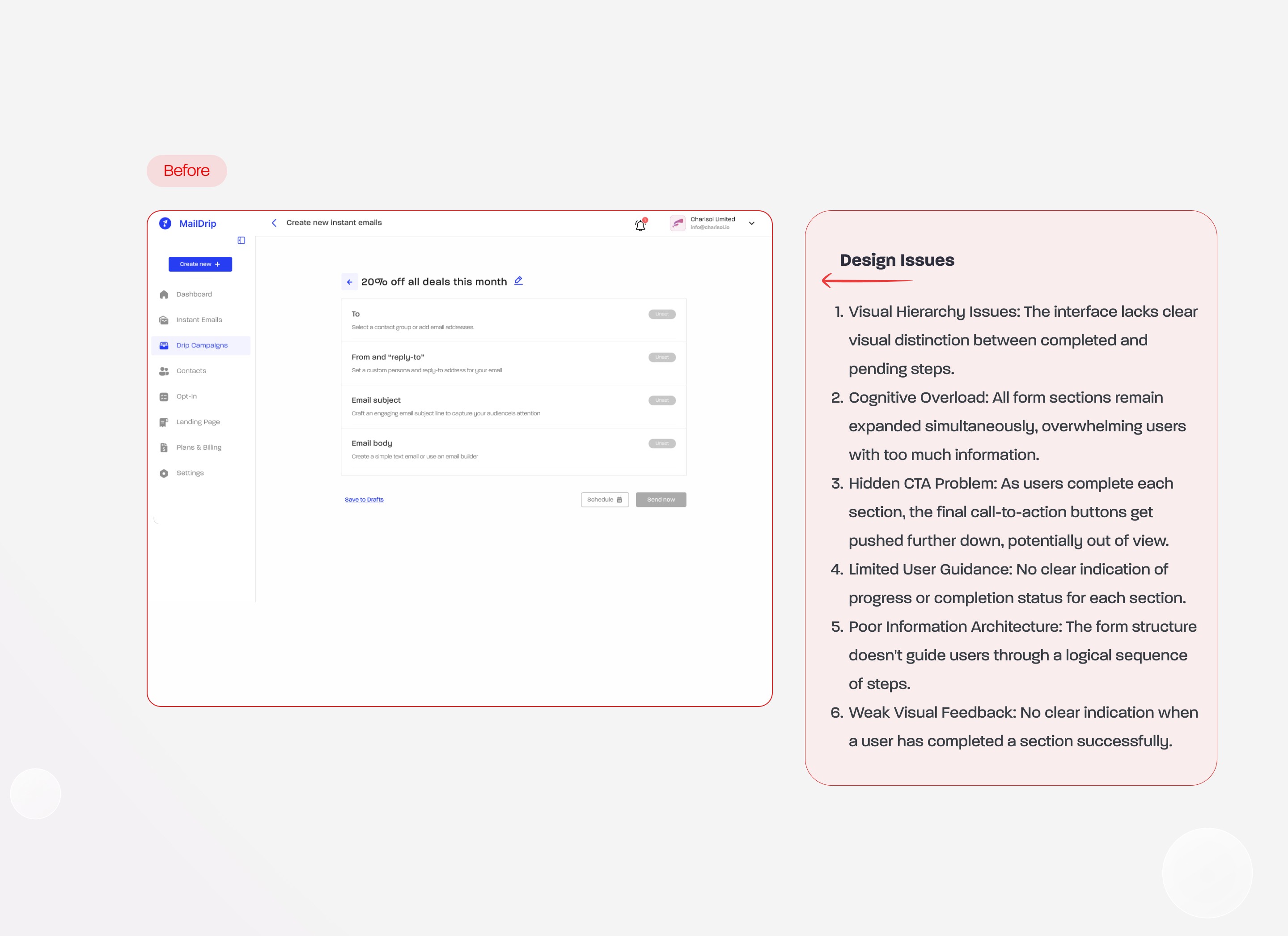
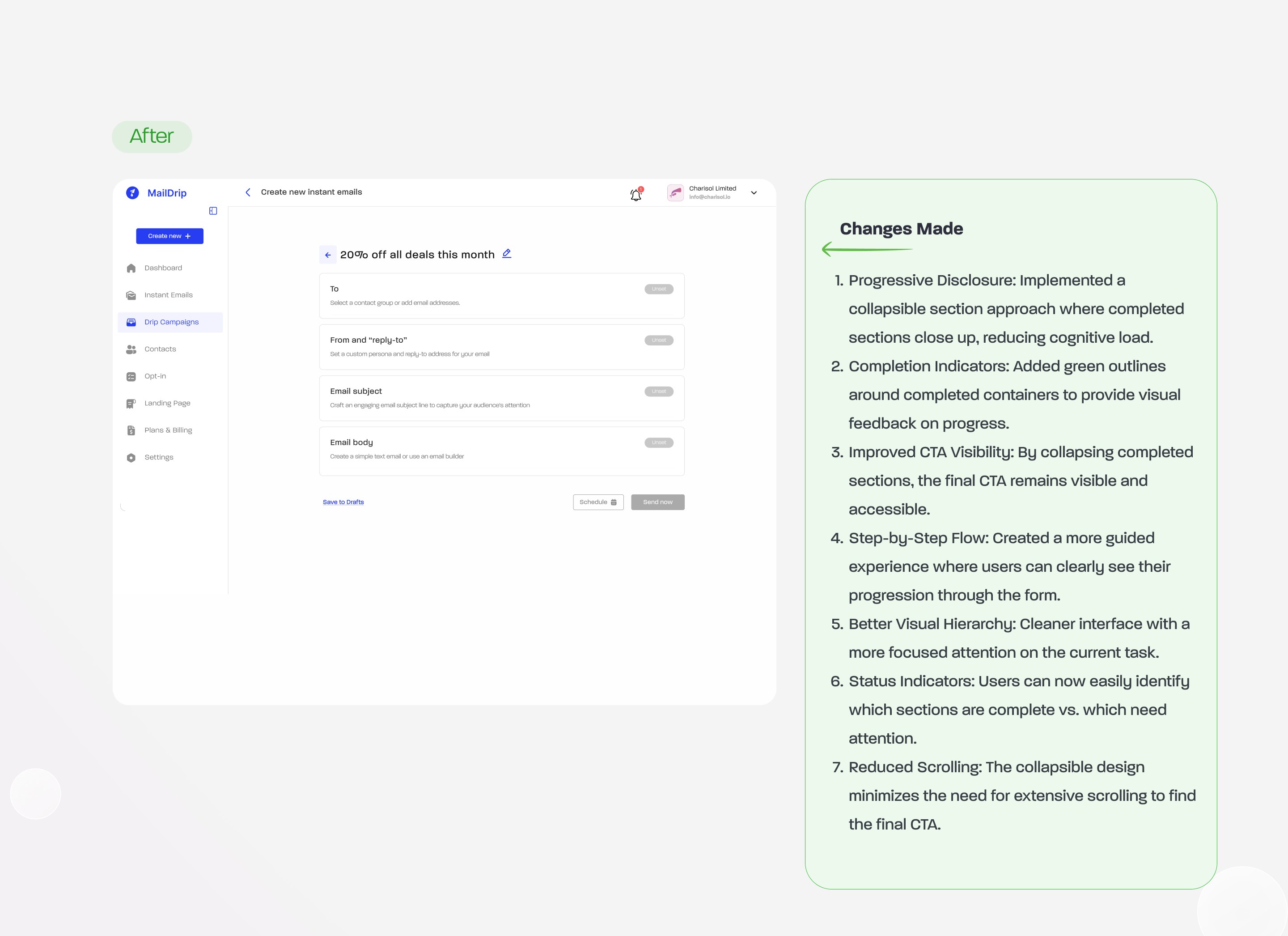
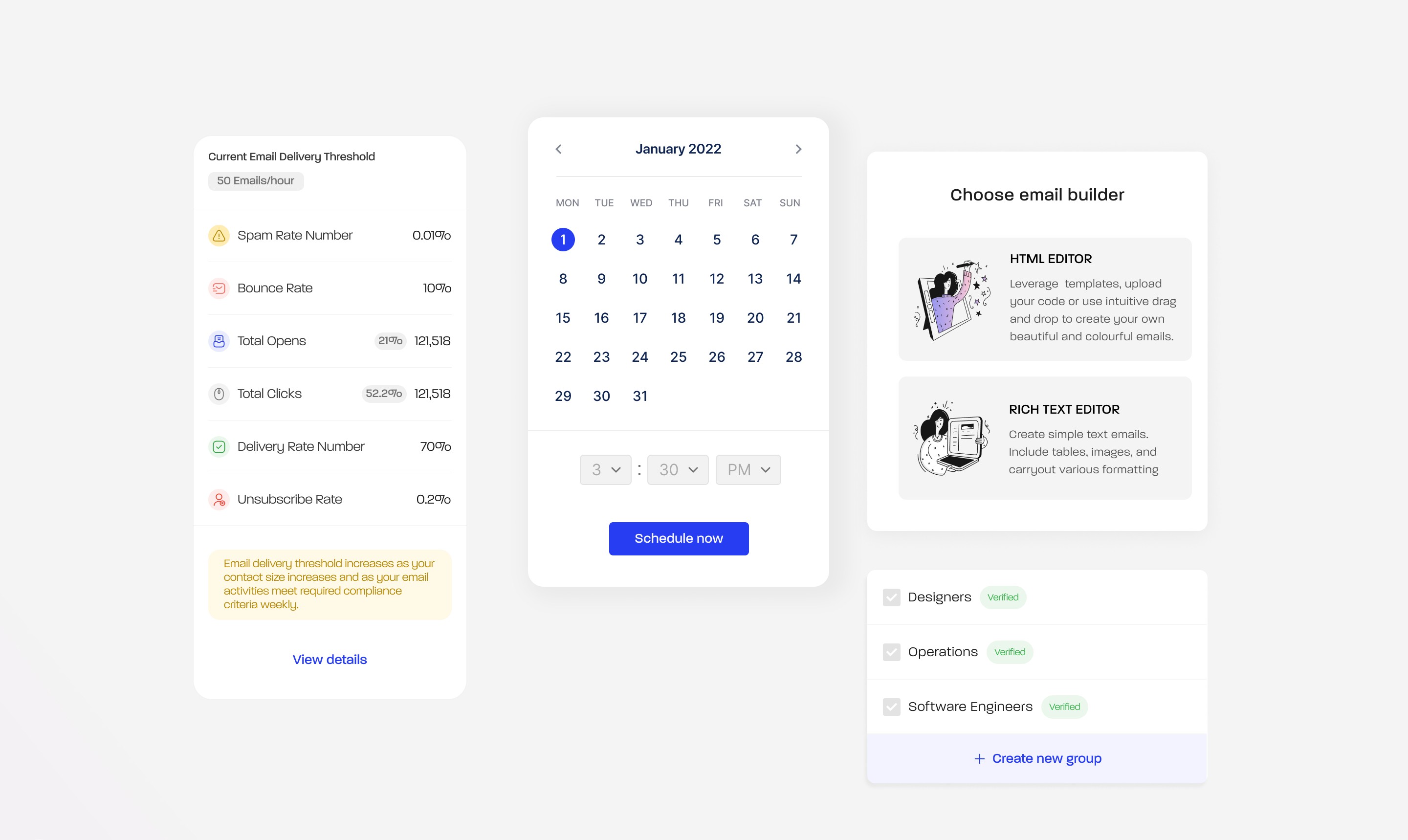
Instant Email Builder
Problem: Users felt lost in the process and wanted a quicker way to send emails without a complex setup.
What I Did: Designed a step-by-step process for instant email creation.
Why: To allow users to create and send emails step by step without overwhelming them.
Result: Increased ease of use with a guided, structured approach.

Spam Detection Feature
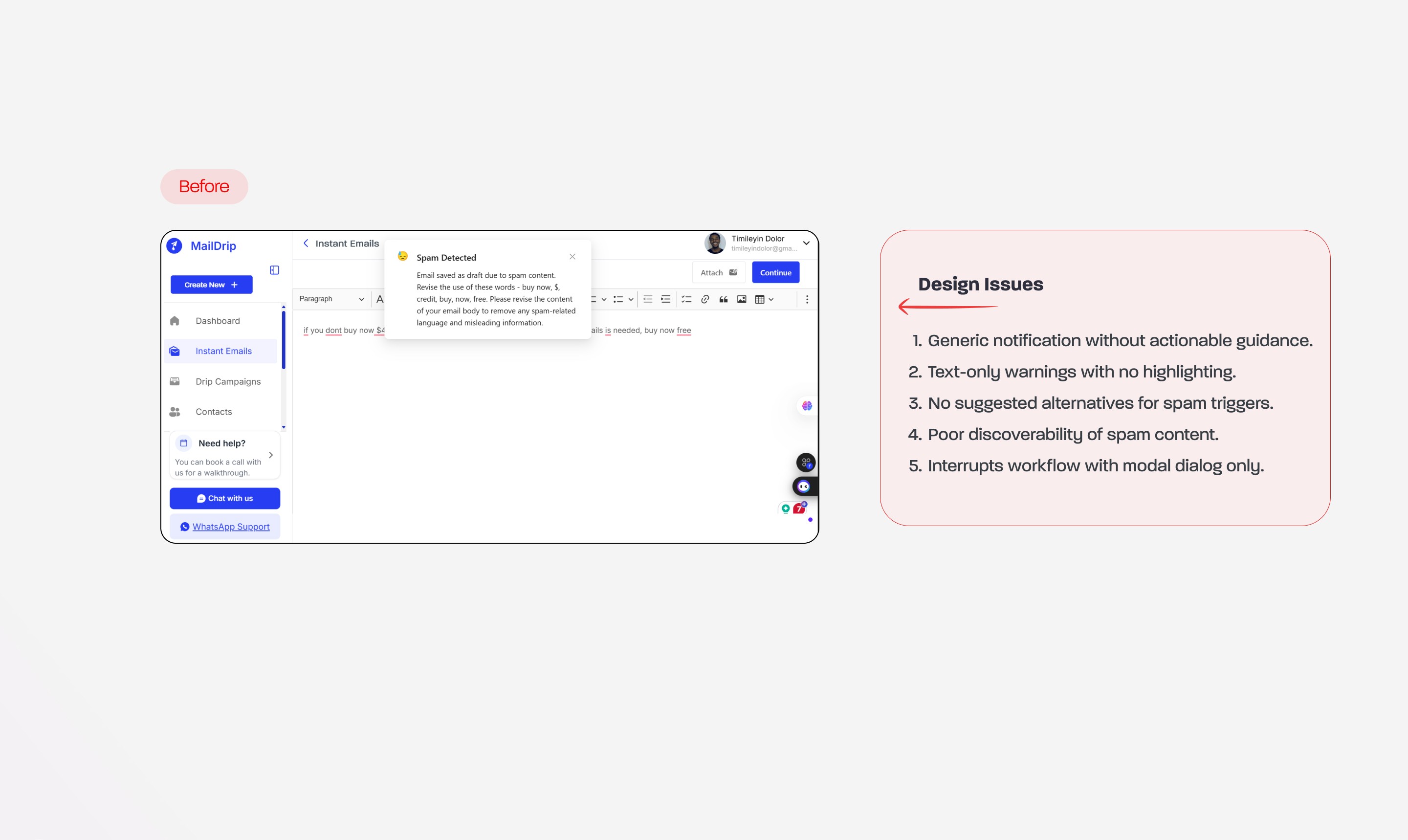
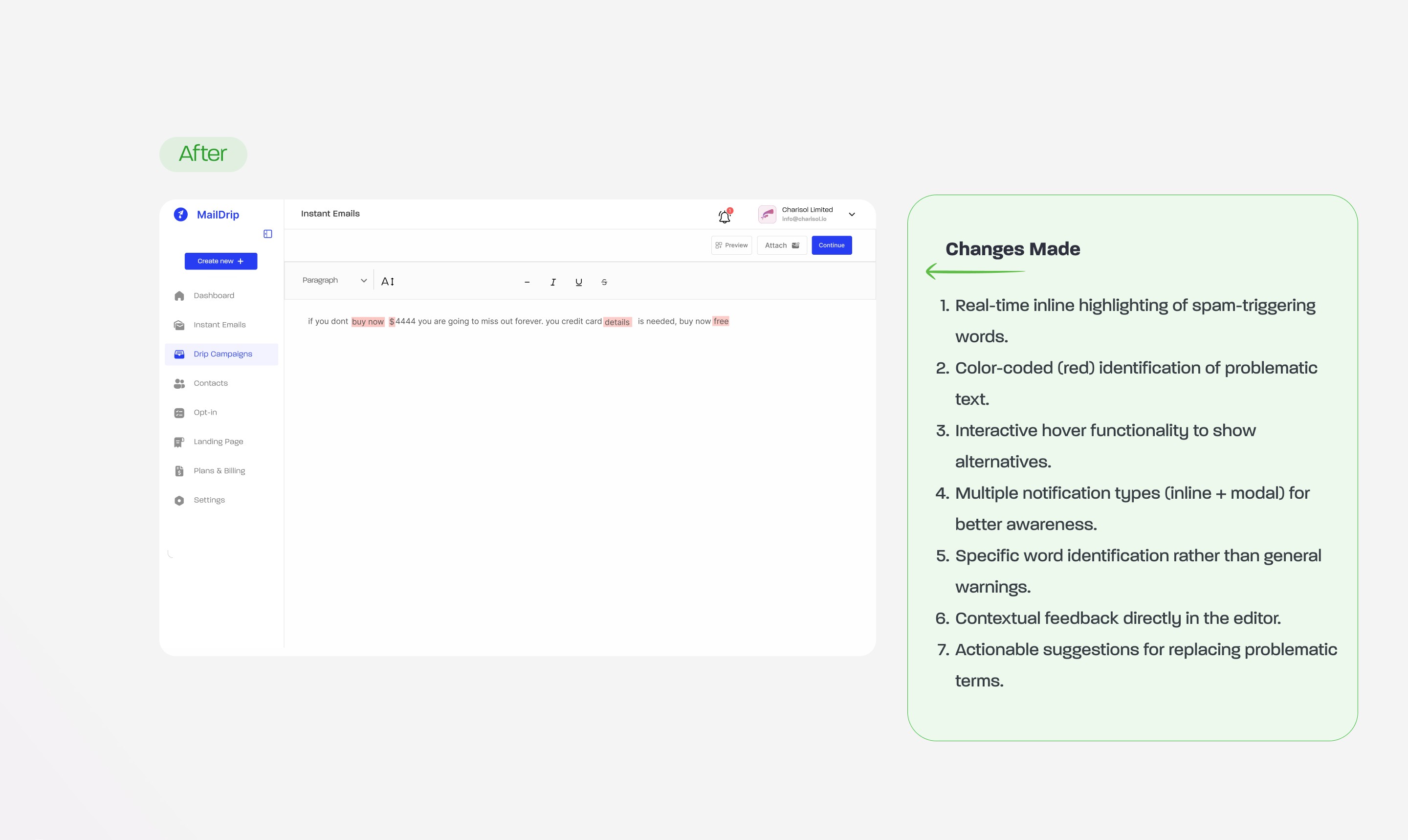
Problem: Users were unaware which specific words triggered spam flags, leading to frustration and repeated failed attempts to send emails. The generic spam warnings provided no actionable guidance on how to fix the issue.
What I Did: Implemented an inline highlighting system that immediately identifies problematic words and phrases by marking them in red. Added hover functionality that suggests alternative non-spammy terms, and created a comprehensive notification system with both inline and modal components.
Why: To reduce user frustration by providing immediate, specific feedback about what's causing emails to be flagged. By highlighting problem areas directly in context and offering alternatives, users can quickly fix issues without guessing or trial-and-error.
Result: Improved user experience with clear visual indicators of spam content, faster problem resolution through suggested alternatives, reduced support tickets related to spam detection, and higher email deliverability rates as users can effectively avoid spam triggers before sending.

Contact Upload: Custom Tag Matching
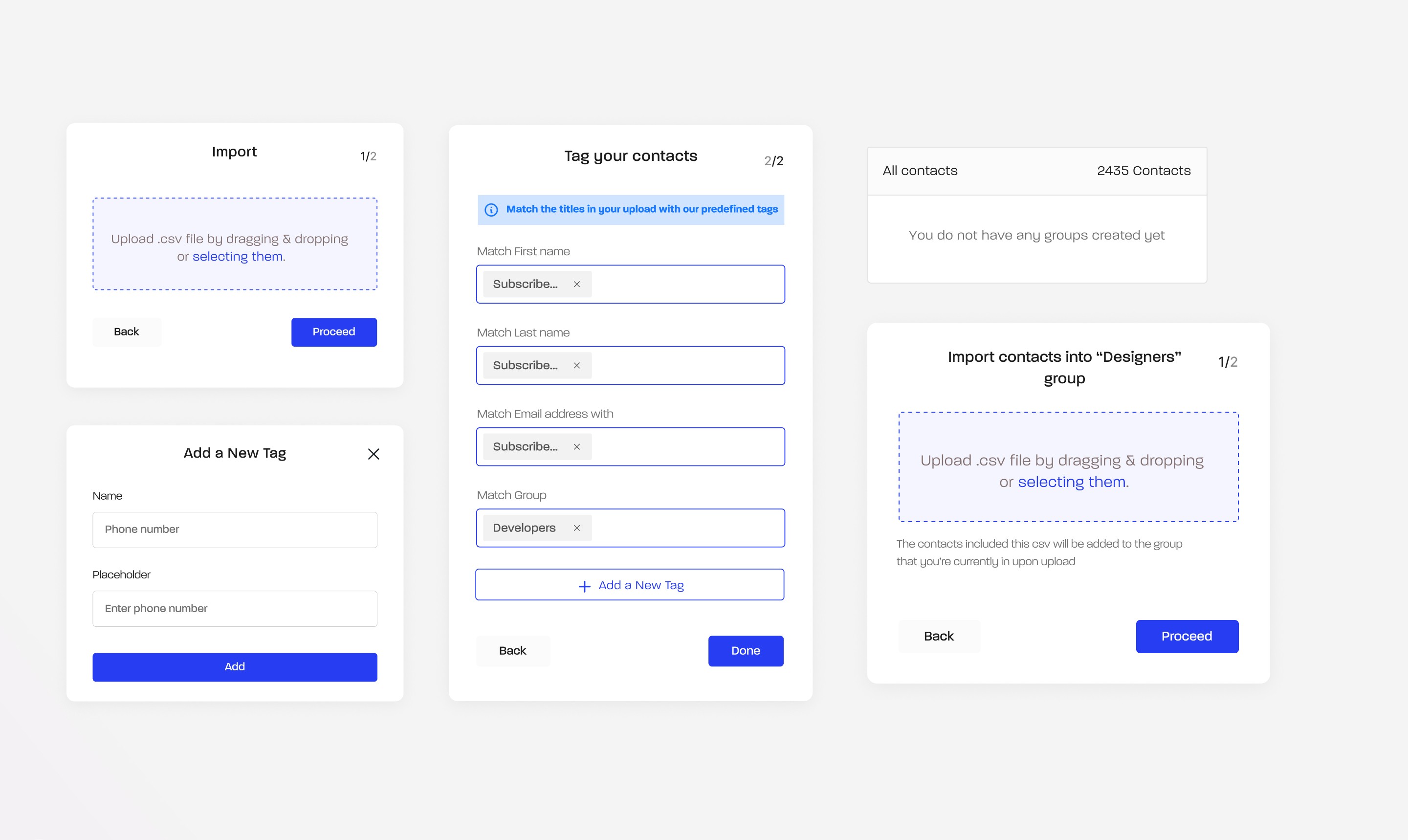
What I Did: Designed a feature that allows users to match imported contact fields with custom tags (e.g., phone number, email, etc.) during upload.
Why: Users needed a way to organize and label imported contacts more efficiently, especially when adding custom tags manually was time-consuming and error-prone.
Result: Streamlined the contact import process by enabling instant tag matching, which improved data organization and reduced the time spent on manual tagging.

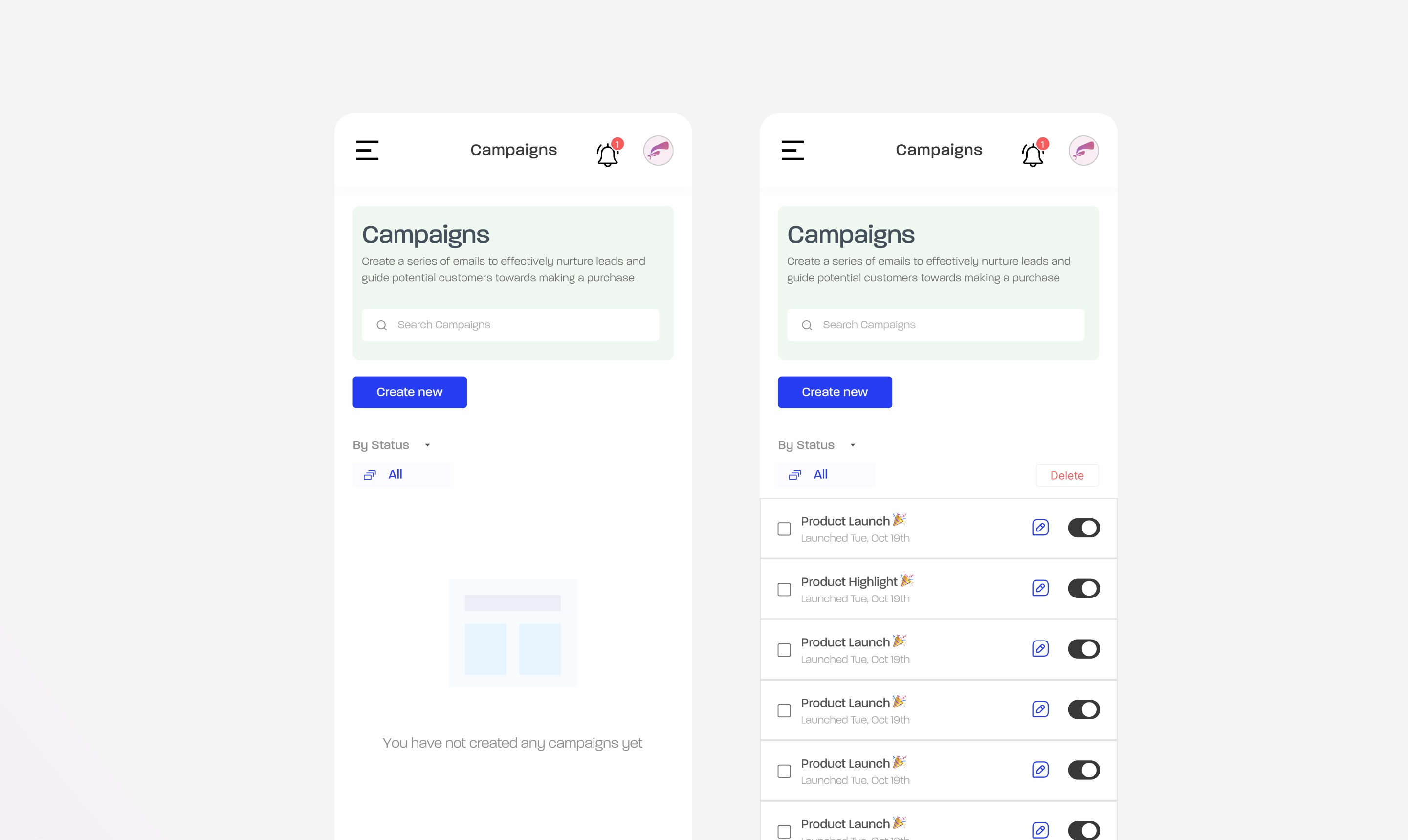
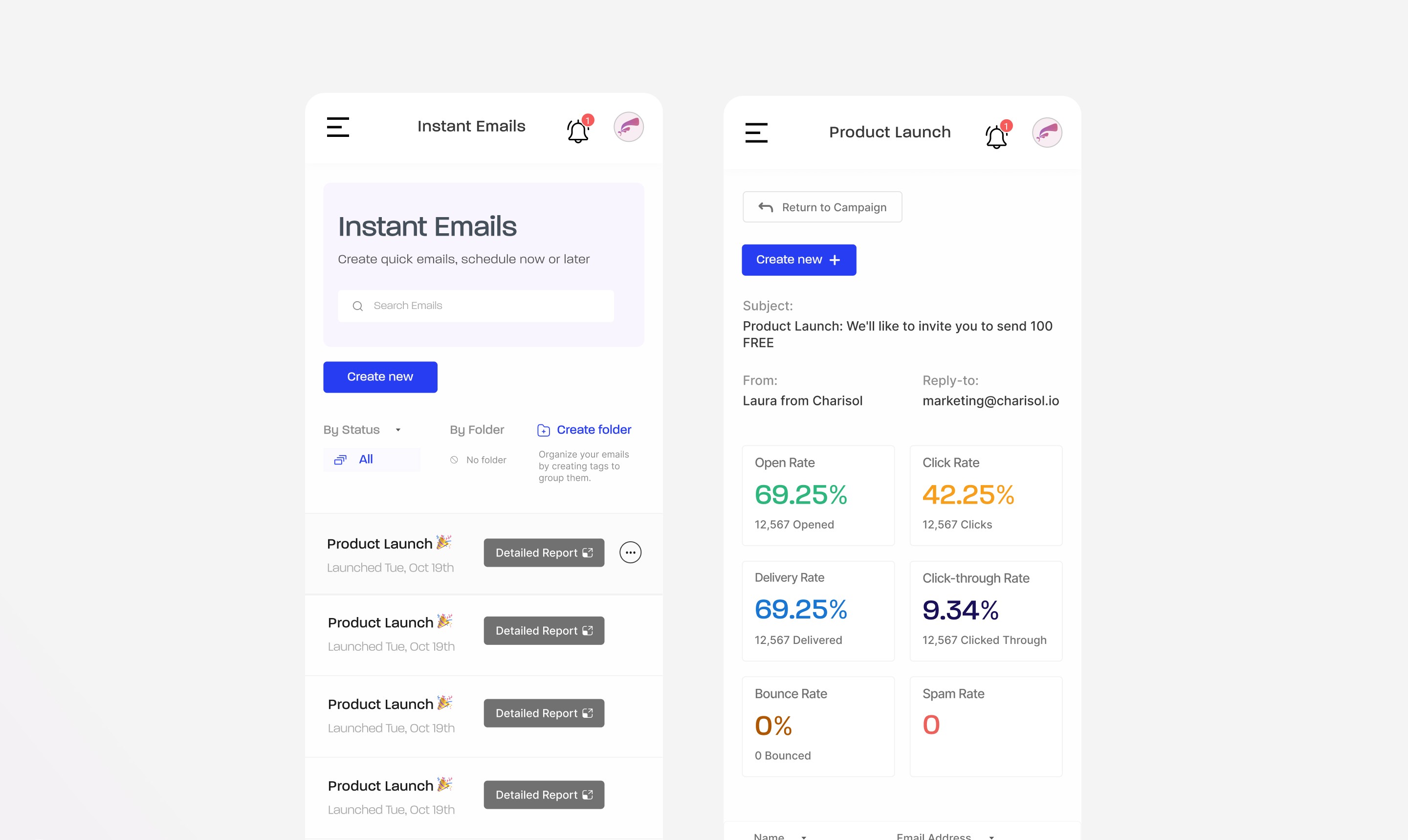
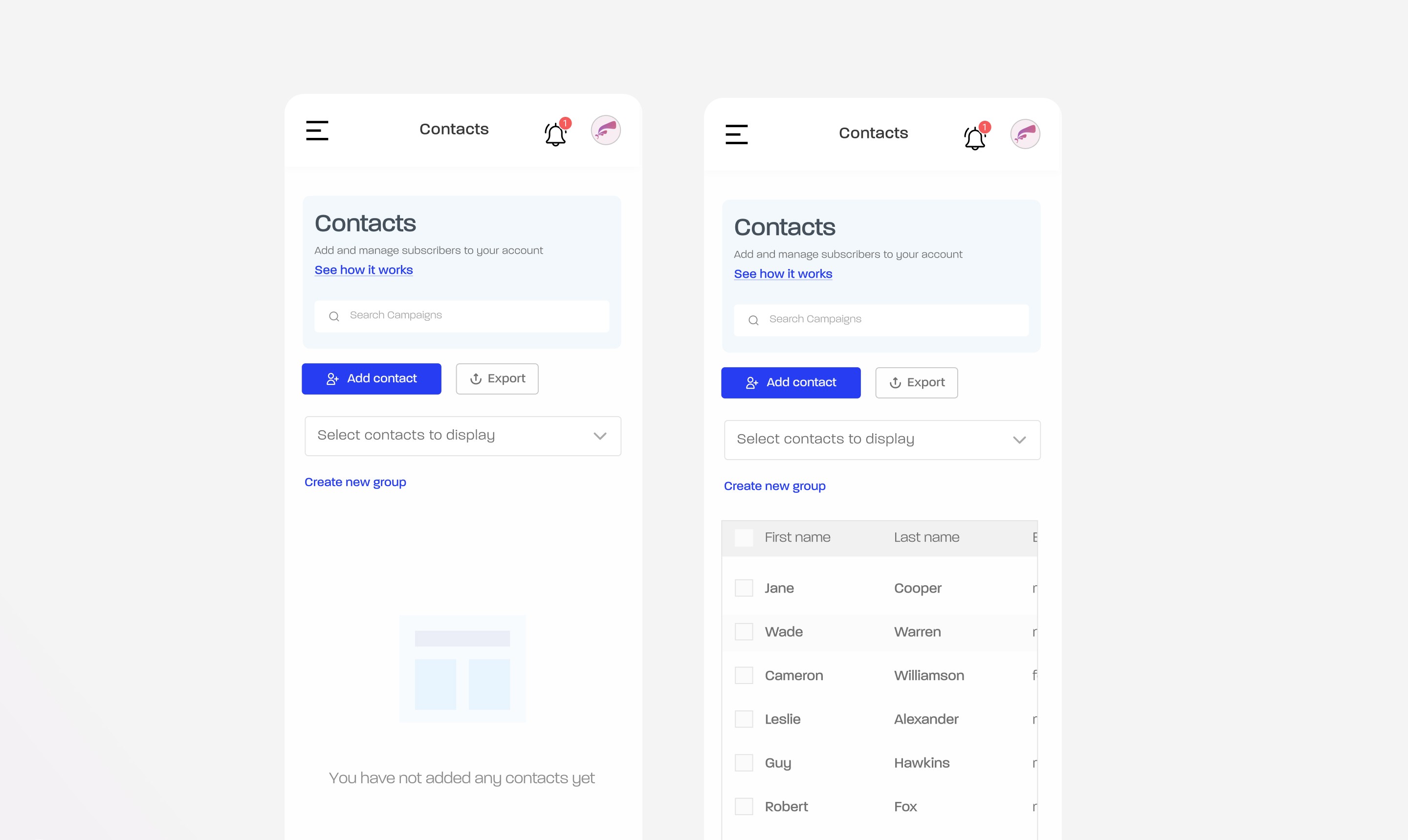
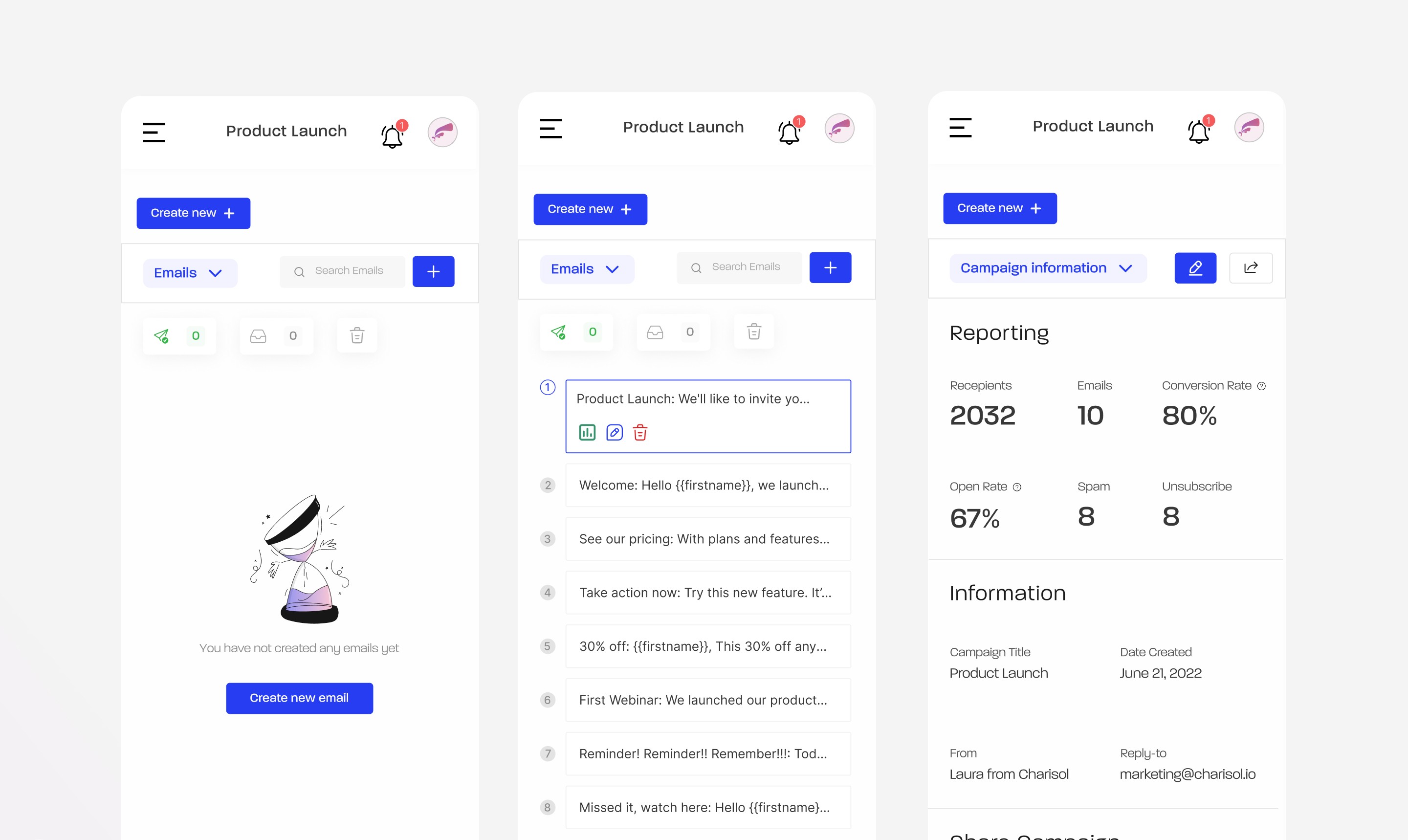
Improving Mobile Responsiveness Across the Web App
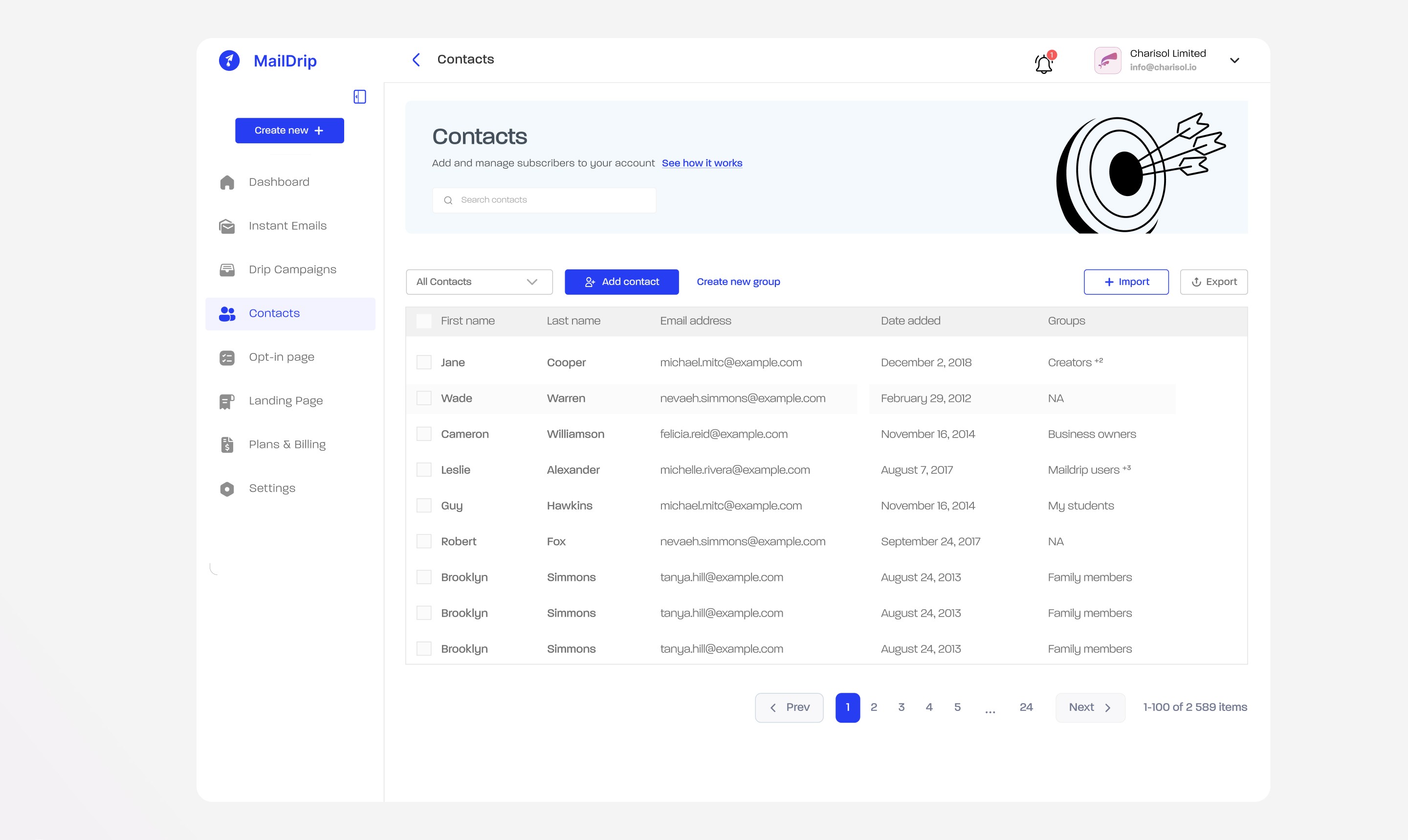
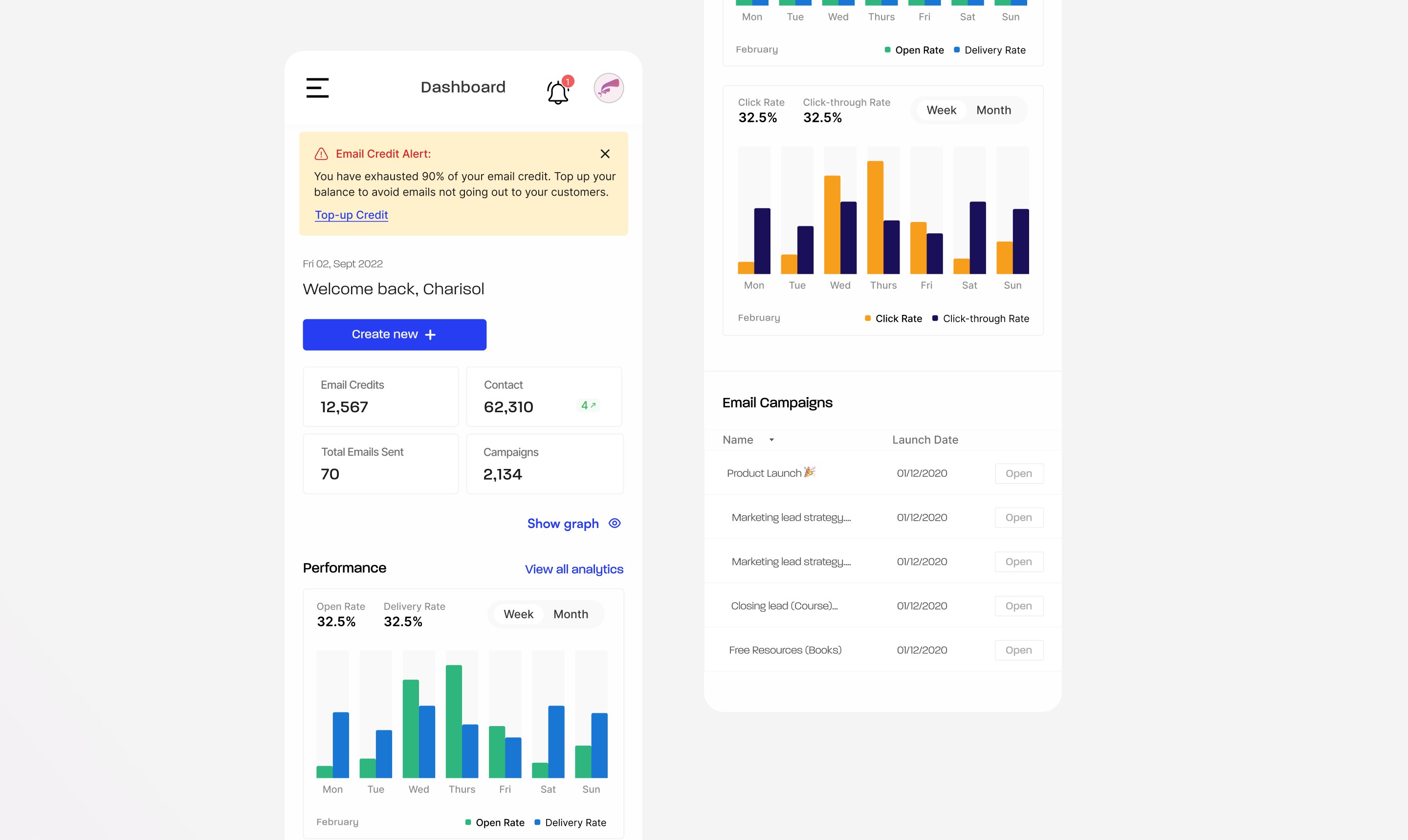
What I Did: Took full ownership of making key parts of the web app mobile-friendly, including the main dashboard, instant email, contacts, and drip campaigns.
Why: We discovered through internal data that a significant number of users accessed MailDrip on mobile, but many features weren’t optimized for smaller screens, leading to usability issues.
Result: Enhanced the experience for mobile users by ensuring responsive layouts, improving accessibility of key actions, and making the overall interface more intuitive on smaller devices.
Final Thoughts & Key Takeaways
Improving MailDrip’s homepage, pricing page, and web app over the course of my time as a full-time product designer gave me a deeper understanding of how consistent iteration and collaboration shape better user experiences. Being embedded in the team allowed me to see how design decisions impact both users and business outcomes in real time.
This experience sharpened my ability to think systemically, communicate design decisions clearly, and balance user needs with product goals.
I'm excited to bring this experience into future roles or freelance projects; especially those where I can contribute to thoughtful, scalable product design in fast-paced teams.